City Theatrical Wing Nut Socket

Details
The Wing Nut Socket (P/N 1350) can be used to secure any theatrical clamp wing nut with ease and reliability. Simply attach the Wing Nut Socket to a 3/8” ratchet with a push button, test to secure the position of the Wing Nut Socket to the ratchet, then slide the opening over any theatrical clamp wing nut, and tighten or loosen the wing nut with ease, with more reliability than possible by hand.
Recommendation: Best used with 3/8” ratchet with a push button. Always test Wing Nut Socket fitment to ratchet before using.
The Wing Nut Socket is a simple, yet smartly designed, chrome tool is a must have for any lighting technician working with wing nuts on a regular basis.
How to get started with Wing Nut Socket:
- 1. Attach - Attach the Wing Nut Socket to a 3/8” ratchet with a push button to secure the socket placement.
- 2. Test - Test the fitment of the Wing Nut Socket on the ratchet or extension, to ensure a secure fit.
- 3. Slide - Slide the opening of the Wing Nut Socket over any theatrical clamp wing nut you want to fasten or loosen.
- 4. Tighten or Loosen - Use the Wing Nut Socket to adjust the wing nut over the screw with ease, with more reliability than possible by hand.
Specifications:
- Length: 2.711 in (68.86mm)
- Inner Length: 1.289 in (32.74mm)
- Outer Diameter: 1.078 in (27.38mm)
- Inner Diameter: 0.94 in (2.9mm)
- Weight: 0.25 lb (0.12kg)
- Material: Steel, Chrome Plated
- For Use With: 3/8" Ratchet with a push button (test fitment before using)
City Theatrical Wing Nut Socket Cutsheet.pdf
City Theatrical Wing Nut Socket How To.pdf

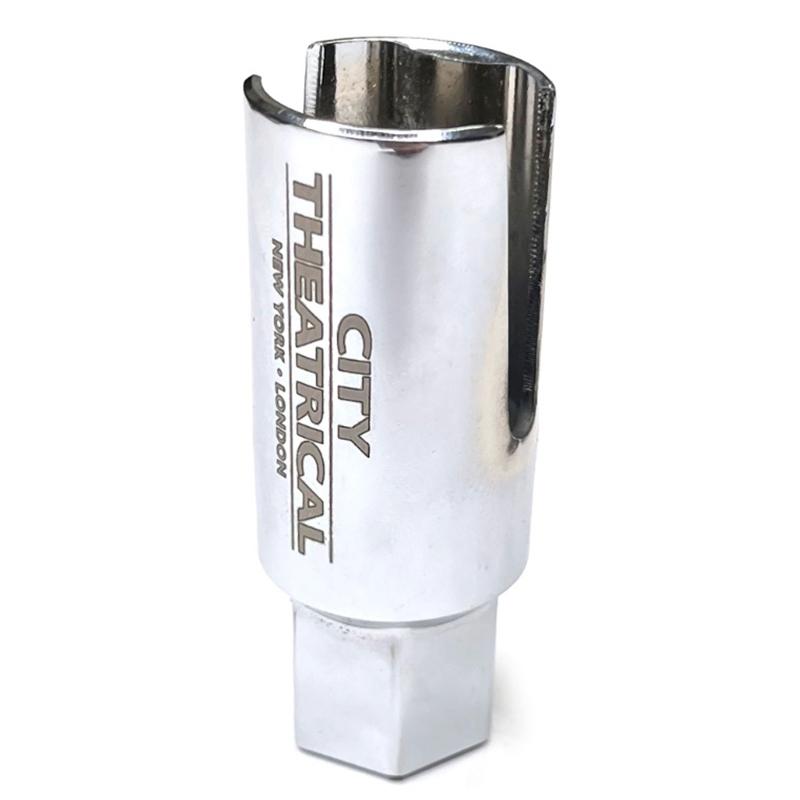 City Theatrical Wing Nut Socket (City Theatrical 1350)
Service was great! Got a response to my question within 24 hours (next business day).
Customer support assisted me with a quest about rated amperage and this being a tax exempt purchase. Very helpful.
checkout was messy - shipping pricy...